















The Agentic Era is Here: Our Vision for the Future of Revenue
Discuss all things Clari!
Win every revenue moment with Clari Copilot
Collaborate and close with Clari Align
Sales engagement, reimagined
Recently active
Efficiency is what every business wants… Efficiency with low expenses. But how do we get this? What are the steps we need to take as a business? This is what Justin says: “Efficiency begins with headcount. Making sure that your workers are not ‘employees,’ but ‘owners.’ They need to look at the greater whole of the company and step into different roles.” Justin Borgman is the Chairman and CEO at Starburst - an analytics engine that provides a modern solution that addresses these data silo & speed of access problems. In this episode, Justin shares how he developed a culture centered around grit to endure downturns, experiments that helped him build Starburst, how to run a business with efficiency, the importance of focusing on the strongest elements of your business, revenue models, and more.Here’s what’s inside: Culture will get you through the downturn: Justin says when the macro environment is going through a recession, company culture is what will get you through it. Reinforce y
Fundamentals are fundamentals for a reason. Why do you think Lebron James is so good at basketball? It’s because he puts the hours in and does the fundamentals over, and over, and over again. It’s the same for your team–put the hours in, do the fundamentals, and see revenue success. In this episode, Jason Chapman talks all about the basics your team might be missing in order to build a resilient, reliant revenue machine. Jason is the SVP of Commercial Strategies and Operations at Infor–a software that builds successful businesses. Listen in as he shares how the best companies leverage their revenue teams to have a broader impact than just the bottom line, how the best sellers are collaborating with their customers, dissecting the key fundamentals of the revenue process, how to ‘earn the right’ to sell to customers, and more.Here’s what’s inside: Understand your trade-offs: Between your market reality, product reality, and your financial reality…Jason says if you’re hyper-focused on the
There is no one-size-fits-all approach to product-led companies. It's all about how the product becomes central to the customer experience. But what are the secrets for making your product central to the customer experience?In this episode, Kyle is joined by Todd Olson, CEO and Founder of Pendo - a platform that focuses on improving product experiences. They dive into what it takes to build a successful company using a PLG motion, Todd’s journey with Pendo, the importance of validating ideas, obsessively monitoring beta users, and finding product-market fit. They also explore the three key areas for implementing product-led growth and the myth of a product selling itself. Join us for an insightful conversation on how to create a product-led organization that puts the customer experience first.Here’s what’s inside: Get rid of the product-led misconceptions: A common misconception for Product-Led Growth is “the product sells itself.” Todd says this isn’t the case. If you’re selling to a
Being a successful CRO isn’t just about setting goals for the sales team and driving revenue. It’s about having the right data and processes in place so that your sellers can collaborate and run revenue. This is where partnering with the revenue operations team comes in to save the day.On this episode of The Run Revenue Show, Adam Aarons, CRO at Drata, shares how he partnered with RevOps to gain a better understanding of what was happening within the business, identify areas of improvement, and make data driven decisions. You’ll gain insight on why this is a crucial move and how it ultimately builds a culture of trust and collaboration.Here’s what’s inside: Focus on relationships + data: The best way to build both of these muscles? Adam says trust, transparency, and collaboration. Audit your processes: Is your team actually adhering to your processes? Does anyone need a refresher?This week, take time to ensure everyone is on the same page. Adam says it’s how you’ll strike revenue gold
Hello! We have found the drill down views from the Analytics Modules to be very helpful. However not being able to save Opportunity views that are created with Analytics tools has created some impediments when sharing out valuable data to our teams. Anyone else has similar sentiments? Also, curious if someone on the Clari side could comment on if this is a feature being worked on? Appreciate you all!
Dashboards allow you to curate the data and insights that you can find across Clari on a single page to answer your most important questions about your business in key scenarios like End of Quarter, QBRs, board meetings, and manager <> rep 1-on-1s. Dashboards are a powerful tool, but we know it can be intimidating to wrap your head around what dashboards you need and what insights to put in them at first. So, we're here to help! First, think about the people for whom you're trying to provide a view into your business: How can you specialize dashboards for different roles or personas at your organization (i.e., reps, managers, CSMs, AMs, CRO, CMO, CFO)? Do you have Modes set up for the different personas at your organization? Are you using these Modes in your Saved Views (in Opportunities and Analytics/Accounts!) and Dashboards? Then, you can think about the key points in your revenue cadence: What are the critical moments throughout your week, month, quarter, and fiscal year? Our
You have two options if you want to know the total number of opportunities in a column in your Forecast Module (rather than the sum of some amount field on those opportunities). If you just want to know the total number of opportunities, then we can create a calculation field in your Forecast Tab. Contact your Clari CSM or Clari Support with a change request to add the calculation field to your Forecast configuration. If you want to reference the total number of opportunities against a quota, or use the count in other places in the platform outside of the Forecast Module:Create a Deal Count field on the opportunity record in Salesforce. You just need to make “1” populate in this field for every opportunity. Add the field to Clari using Field Config Contact Clari Support and submit a change request to add the field to your Forecast configuration
Hello team, we’ve been trying unsuccesfully to apply a filter by Primary Reseller to a set of oppties managed by a Partner Manager. We tried using the options Primary Reseller/Primary Reseller Location/Primary Reseller Location Name but got no results. Any ideas on why this is not working? Best Regards,
Is it possible to change the set up so that Amount Decreased and Amount Increased reports in Waterfall will display historical changes (amount + color coding) in the ACV based on the date range and not just on the last update? Perhaps an additional button/option so we can select what to use? Example, Deal A decreased in net recurring ACV and is correctly showing up in the Amount Decreased report. However, it’s colored green but should be red since it’s a decrease. It’s because it’s picking up the last change which was an increase from around $62K to $185K. But if we look in Salesforce, the deal actually decreased from $295K to $185K. Same scenario happens on the Amount Increased report. On my end, since I use Waterfall a lot, I end up going back to Salesforce to manually check the correct increase and decrease ACV based on date range (which is not practical). Three things I’d like to see, if possible:Consistent color coding. No ‘green’ deals should be seen in the Amount Decrease report
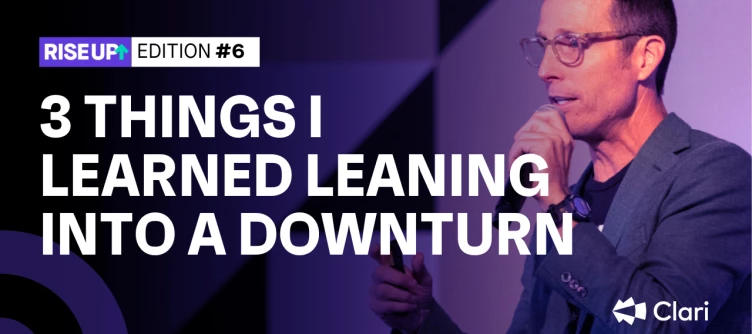
Welcome to RISE UP, where every other Friday Andy Byrne (CEO, Clari) will share one tip for reaching your potential and building a legendary revenue career. “Economic uncertainty” has been a phrase we’ve seen and heard countless times over the past 12 months. I wouldn’t be surprised if it becomes the 2023 Oxford English Dictionary word of the year. As we all know, economic uncertainty significantly impacts businesses worldwide. And the vast majority of leaders have (nearly) exclusively resorted to cost-cutting measures in an attempt to weather the storm. But here’s the thing: No company ever cost-cut its way to greatness. A full strategy requires mastering cost and revenue. Because in tough economic times, every drop of revenue matters. That’s why I firmly believe that leaning into a downturn is the key to building a legendary revenue career. In fact, Harvard Business Review found that approximately 9% of companies emerge from downturns stronger than before. So how do you become a pa
When Capture syncs an email activity back to Salesforce, by default, it logs the email as a Task.Today, Capture can log activities as either a Task or an Event to Salesforce. A Clari Admin can control whether emails are logged as Tasks or Events in Studio. You can find the steps to adjust this setting in our knowledge base.
Yes, an opportunity amount can be split against different quotas (i.e. for cross-sell opportunities, 30% of the opportunity is contributed to the AMs quota and 70% is contributed to the AEs quota). You can set up opportunity splits in your Salesforce instance. You can learn more about how to set up opportunity splits in the documentation written by Salesforce. Contact your Clari CSM before you enable opportunity splits in Salesforce to discuss how you want to configure your Forecast and Opportunities Modules for splits.
So you want to exclude specific deals, users, or roles/nodes of your Salesforce hierarchy from Clari's Forecast Module without modifying the current hierarchy in Salesforce. In that case, you can create a custom field in Salesforce to track which deals should be included in the forecast and which ones should be excluded. This approach allows you to control the inclusion or exclusion of specific users or deals from the forecast. To implement this, you can create a custom field on either the User Object or the Opportunity Object. Depending on your preferences, the custom field can be a checkbox, picklist, or string. However, using a checkbox field is generally the simplest to manage. Once you add the field to Clari, you can use the custom field to mark specific deals or deals owned by specific users to indicate whether they should be included in or excluded from the forecast. Use Field Config to add the field to Clari. A note on Hierarchy Management...If you are familiar with Hierarchy M
Extreme Networks was stuck in spreadsheets, lacking the visibility needed to drive a more predictable sales process. Joe Vitalone, CRO of Extreme Networks, & Clari CRO, @Kevin Knieriem, discuss the limitations of outdated technology & how Clari has driven the visibility & predictability needed.
Great news, everyone! We have just rolled out a new update for Clari Align, and although most of the improvements are happening behind the scenes, there are a couple of key enhancements we wanted to bring to your attention: Simplified Action Status: Based on your valuable feedback, we have made it easier to track progress. Now, an Action is marked as Done or Not Done, eliminating the need for multiple status options. Streamlined Action Owner & Due Date: We heard you loud and clear! You can now assign a single person responsible for an Action and set a specific due date, making it simpler to manage tasks. We appreciate your continued input and suggestions, which help us shape Clari Align to meet your needs. Keep those comments and requests coming as we strive to make Align more actionable and collaborative.
As Revenue Pros, sometimes we just want to be told what to do–given a proven system for unlocking revenue growth, right?This week’s episode is just that. Jonny Fianu serves as the Director of Global Revenue Operations and Business Development for ComplyAdvantage. With an impressive background in strategic planning and revenue optimization, Jonny plays a crucial role in overseeing and enhancing revenue generation processes within a global organization. His expertise lies in analyzing market trends, identifying business opportunities, and implementing effective strategies to drive revenue growth. With a keen eye for identifying untapped markets and forging strategic partnerships, Jonny fosters collaborations that propel business expansion and increase profitability.On this episode of Run Revenue Show, Jonny Fianu shares his replicable system for success in revenue operations and its goal to minimize risk and maximize opportunity through constant calibration, the importance of data lite
Get a complete step-by-step guide on how to identify major revenue moments (and win them). You’ll learn how to inspect your account health, run your 1:1s, and drive successful quarterly retros. There are also templates and checklists to help you maintain consistency while turning your revenue cadence into reality. Avoid revenue leak and win more revenue—grab your copy 👇
Hello Community,I am new to Clari and wondering if anyone knows of a good way to look at historical pipeline conversion by sales rep.E.g. Sales rep John had a pipeline of $1M in Q1 and closed $250k so he had a 25% conversion rate.Also what is the simplest way to look at historical pipeline conversion for the whole company as of a certain date? I used the waterfall analysis to do this, but it seems very manual, as I have to manually select it for every month and can’t look at conversion rates over time.E.g. As of Jan 1, our pipeline for Q2 was $9M and we closed $3M in Q2, so our pipeline conversion from 180 days out is 33% As of Apr 1, our pipeline for Q2 was $6M and we closed $3M in Q2, so our pipeline conversion from 90 days out is 50%Thanks!
One way to improve your skills with AI — and subsequently save gobs of time — is to familiarize yourself with how these technologies work. Did you know that the “GPT” in ChatGPT isn’t just a name? It’s a type of technology. I asked GPT to explain what it means to a non-technical audience. Here’s the reply: GPT stands for "Generative Pre-trained Transformer.” Let's break it down: 1. Generative: It means that the model has the ability to generate text or other forms of output. In the case of ChatGPT, it can generate human-like responses to prompts or questions. 2. Pre-trained: Before being used for specific tasks, such as answering questions in a chat-based format, the model is trained on a large dataset. This training process helps the model learn patterns, grammar, and context from the text it is exposed to. 3. Transformer: The transformer is a type of neural network architecture that plays a key role in GPT models. It enables the model to understand the relationships and dependenci
Had this point raised today (thank you @Stephanie Scattolini) where perceived positive impacts (in the business sense) appear as negative impacts (in the CRM Score)...confusing huh? 🤔But here’s the explanation….“The impact and weight of each factor are automatically determined through our probabilistic model, which is influenced by each organization’s historical win rates. This means factors can—and will—vary based on the unique characteristics of each sales team and process.For example, although a deal advancing from best case to commit is traditionally a positive indicator of the likelihood to close, the model may label this movement negative—if, historically, deals haven't closed after that kind of change.”Taken from the full article on How The CRM Score Works.
Get a quick update on the additional capabilities heading your way in Clari Studio, and watch how Anmol Thiara (@anmol) create a custom mode in 30 seconds with Field Configuration!Safe Harbor Statement: This presentation is intended to outline Clari’s general product roadmap and vision. It should be used for informational purposes only, and is not a commitment to deliver any specific functionality. This presentation cannot be incorporated into any contract and should not be used when making decisions to purchase. The release and timing of these features remains at Clari’s sole discretion. Martin Spanik commented that field management is one of the best new features, and he’s been using it a lot lately. What makes you most excited about Staging or Forecast Admin? Share your thoughts below! 👇
Ability to set pacing based upon the context of pulse. If looking at the monthly pulse then the ability to set monthly pacing, if quarterly then quarterly pacing.
Subscribe to RunRevenue.Pro and get one tip for protecting your revenue — plus updates on new frameworks, playbooks, and exec conversations for running revenue like a pro — delivered straight to your inbox every Friday. The past few quarters have been anything but smooth for revenue teams. The road to revenue is always challenging, but the macroeconomic environment has introduced once-in-a-decade obstacles for teams to navigate. Buyer priorities have changed, customer needs have shifted, and companies are scrutinizing every penny they spend. Has your revenue process kept up? It’s likely that your annual plan is at risk and your targets for future quarters need to be recalculated. You need complete visibility into the realities of your business to confidently predict outcomes in future quarters. You have to be able identify areas of strength and weakness across your revenue process and focus your team’s efforts appropriately. This may feel like a difficult task, but difficult does not
ICYMI—with Inspect, you can now bring in external (non-CRM) data into Clari. Group Product Manager Payton Miller covered a number of other new Inspect capabilities in his demo to show how they help you prevent revenue leak:Engagement Score Sub-Object Nesting In-Line Editing Conversation Inbox Smart Email Summaries Email, Push, and Web Notifications Copilot Insights PanelSafe Harbor Statement: This presentation is intended to outline Clari’s general product roadmap and vision. It should be used for informational purposes only, and is not a commitment to deliver any specific functionality. This presentation cannot be incorporated into any contract and should not be used when making decisions to purchase. The release and timing of these features remains at Clari’s sole discretion. @Sandip Patil asked a great question: how is engagement score different from CRM score? The answer: The CRM Score predicts the likelihood that an opportunity will close (won); Engagement Score creates an index
Already have an account? Login
Don't have an account? Create an account
Enter your E-mail address. We'll send you an e-mail with instructions to reset your password.