





















Welcome to the NEW Salesloft Community — Read all about it!
Share your hard word: learnings and wins
Recently active
Do you have your New Business and/or Renewals Business setup in Clari already but wondering what are some other forecasting use cases to bring more visibility in one spot? Clari can also be utilized for pipeline generation tracking. This is powerful for both read-only visibility but it also allows you to set targets by team or even individual reps to keep them on track to meet their pipeline goals. There are so many ways to utilize this functionality but here are some key best practices to add to your Pipeline Generation Tab that we’ve seen our customers add to their own instances: Pipeline Generation Target: A Pipeline Generation Target is useful to have in regards to seeing if we are on pace to building our pipeline in order to ensure a successful current Quarter: ASPUsing the “Power of One” field in SFDC as a rollup, we can make a quick division of (Generated Pipeline / Generated Deal Count) to see the Average Sales Price. Quick tip: To ensure quality calculations, we can use filte
Calling all Sales Development Reps! If you haven’t already, sign up to join us on Wednesday, March 12 to learn how to work smarter, prospect faster, and book more high-quality meetings with Groove. The following week, we’ll check in to answer any questions that you have in our Ask Me Anything session on Groove for SDRs. Share your questions in the comments below, or like someone’s question to upvote it. We’ll answer as many as we can, but knowing which questions are most popular helps us prioritize. This session is part of our Clari Live: Unlock Your Productivity with Groove series. Check out the whole series here.
Why can I only add 100 contacts in a flow to a CSV, at a time, or if adding 400 to a flow, why can i only add 1 page at a time?Would make more sense to add all of them at once, unsure if i am missing somethingAny help would be appreciated it please
Hi all, when I click on the “Export” option nothing happens and no message is given. How can I get my report data in excel format?
If your organization has been using Capture for a while, checking the settings and looking at the logs periodically is a good idea. This will help you get the most out of your integration. The Capture settings panel has recently had some helpful additions that make tweaking and tuning your settings much more accessible. Some settings were previously only modified via your CSM or a support case, so you may not have even realized they existed! I always begin by making sure Capture is not in Preview Mode and is writing back to the CRM. However, toggling this off and putting it in Preview Mode can be helpful when making settings changes to ensure that a tweak doesn’t have unintended effects that get written back to Salesforce! This can also be helpful when considering some of the other recommendations to come. Next, for contacts, I always want to look for contacts that could not be written back due to account matching issues. To do that, use the filters to find contacts with “No Match Fou
At the start of the year, when you’re back in the hot seat, you need to get a handle on the deals that are in for the quarter to get a fast start. I recorded a quick video to walk you through how to inspect your deals for this quarter, what has happened recently and where do you need to spend your time to progress your deals.
Does anyone know of a way to use an aggregation of CRM scores as a high level view of pipeline health? Either natively within Clari, or via export? Currently export via the Opportunities page excludes CRM score.
Love doing things on the go? The Copilot mobile app is here- Listen to sales calls recordings on the go. Simply hit play, lock your phone and move on. With Copilot mobile app, you can:Listen or review your/team’s past calls on the go Request for and share coaching feedback via comments View upcoming meetings (and stakeholders) at a glance. Toggle recording on/off for an upcoming call with one tap.If this sounds helpful, head to the below links and download the app now Android: Download from hereIOS: Download from here Note: 1. Copilot doesn’t ask for permissions to view any data on your phone2. To sign in, use your work email account (that you use on the Copilot web app). That's it. Now, let’s do a deep dive into some of the key features and available options:My Calls: View your upcoming meetings and call recordings. Team Calls: View all call recordings from your team + filters to find what you need Search: Search for a keyword across all call transcripts, meeting titles and attendees
Hey all - I’m new to Groove and I’m trying trying to build a master flow that many of my reps can use.We previously used Outreach and would frequently include the variable {{sender.calendar_url}} in flows to allow multiple people to use the flow and include their personal calendar/scheduler link. Is there a merge field like this for Groove?
You’re probably in full menu-planning and shopping mode by now, but hold on! We need to make sure our forecasts are solid as we close out the year. In this short video I recorded, I’ll walk you through how to inspect your commit and upside deal buckets from the Forecast Module. We want to make sure we’re across every change at this critical time of the year.
What is the Role Hierarchy? The Salesforce Role Hierarchy allows you to define and manage data visibility and access for users within your organization. Based on their role, you can control who can view or edit certain records, such as accounts, leads, opportunities, and other objects. What are the Benefits of Setting Up the Role Hierarchy? Access Control: A role hierarchy allows your company to control access to data and functionality within Salesforce. You can grant each role specific permissions, which cascade down to the users in the roles beneath it. You can ensure that individuals can only access authorized data and perform authorized actions. Reporting: The role hierarchy also allows you to report based on roles. You can see how many opportunities, leads, or cases each role in the hierarchy is working. This information can help management make informed decisions about resource allocation and identify areas for improvement. Sales Management: Sales teams can use the role hierarchy
Hi Everyone!My name is Michelle and I manage one of our Solution Consulting Teams in the Professional Services Department. If you’re looking to learn some best practices as it relates to Net Retention & Churn, please review this in-depth video & deck (attached below) as you’re thinking about bringing that process into Clari! We go over the following: Why is forecasting/tracking renewals is important? Net Retention SFDC & Forecasting Set up Best practices for Calculations Churn SFDC & Forecasting Set up Key Considerations & Next StepsIn regards to requirements gathering, here are the Key Questions we will ask you:Who owns and is responsible for forecasting renewals, churns, and upsells? Attribution to the correct teams: If sales/AM team owns upsells and not CS, how can we attribute upsells to CS team members to get to NRR and GRR? Understanding opportunity set up: If expansions/upsells are in renewals, are they attached to the renewal opportunity or created as sepa
Disclaimer : This one is exclusively for our reps and it's going to be worth its while. Copilot has been joining your calls and recording them but is that the only use-case? And the answer is “No, there’s lot more” so let’s look into those : Bookmarking -> If you are still using a notebook to document the key moments which you might refer back after the call then its about time you hear about the Bookmarking functionality of the much-talked-about Copilot Desktop app.How to add bookmarks over your call ? Here’s how : 1. Ensure that you are signed in to the desktop app before your meeting starts. 2. To add a bookmark in an ongoing call, simply click the big blue bookmark on the left. Pro-tips : You can create personalised categories for bookmarking in Personal settings. You can create your own categories from here. You will also have the ability to comment and share bookmarked moments in one click. Ever wanted to add a bookmark to refer back post the call? Now you can do that t
Talent is everything in revenue. Sure, we spend a lot of time talking about AI, forecasting, and cadences. But these tools support reps in the trenches and the teams that surround them. You can have the best toolset in the world, but if your talent isn’t there the numbers won’t be either. For revenue leaders, it’s mission critical to attract and retain top talent. And this pursuit can become a full-time job without the right framework to guide your efforts. Today, I’d like to share a structured approach to talent, backed by 10 years of building at Clari. Use this framework to stack your team with A+ players and build a legendary career in revenue. Attract talent with your core values There’s a lot of noise when it comes to attracting talent. Talk to a dozen leaders and you’ll get a dozen opinions, ranging from complex interview schemes to referral-only hiring practices. For me, talent is simpler than that. It starts and ends with values. When you define what your team is about and how
Drip. Drip. Drip. The leak may be hard to find, but you know it’s coming from inside the house.Every quarter, thousands of dollars (if not millions) are slowly leaking out of your business. We aren’t talking about physical plumbing. We are talking about breakdowns across your revenue process resulting in revenue leak. What is revenue leak? It’s the biggest business problem hiding in plain sight, impacting all companies across all industries. It represents the revenue you’ve already worked hard to earn but have yet to capture. And according to our Clari Labs research, 14.9% of revenue is lost every year due to revenue leak. It can show up in a handful of sneaky scenarios. Maybe the high-visibility enterprise deal you needed to come in slipped to next quarter. Maybe one of your top sellers gave away another one of their famous generous discounts. Maybe your win rates have decreased slowly over time without a clear culprit. Or maybe that huge customer you thought you could count on churne
It’s been a few weeks since the Collision conference in Toronto but I’m still energized from the incredible conversations, panels, and networking opportunities with so many impressive tech and business leaders. Sharon Goldman, Fortune’s AI reporter, and I took the stage for a panel on, “How AI Is Transforming SaaS Innovation.” I shared my view that we’re near the peak of the “AI hype curve.” I’d estimate we’re seeing anywhere from 10 to 25 startups popping up every day around GenAI. Most of those will fail. That’s no different than what we see with every other technology paradigm shift. But even so, we can’t underestimate the positive impact AI is already having on SaaS innovation. And as we come out of the hype curve into more mainstream adoption, that impact will only increase. AI is fundamentally transforming the landscape of SaaS development, helping companies quickly solve previously intractable problems. At Clari, we’ve leveraged Predictive AI for years, using structured historic
Outbound TrendsEvery Sales Organization Can Benefit From a More Efficient Outbound ProcessWith Groove, you can improve target account coverage and increase conversion rates by focusing on the following key areas to effectively scale and manage your outbound sales process.Targeting: Who are the people we’re adding? How many contacts should we be working to meet our goals? Messaging: 3 ways we recommend building out an effective messaging. Actioning: Create a consistent process to optimize your strategy and enable your teams. Reporting: Understand what’s working – and what’s not so you can identify gaps and optimize over time. Governance: Create a consistent process to optimize your strategy and enable your teams. 1. TargetingSave time and resources by focusing on potential customers who are most likely to be interested. By reaching the right audience, sales teams have a better chance of converting leads into satisfied customers.Adding the Right PeopleThe types of people and acco
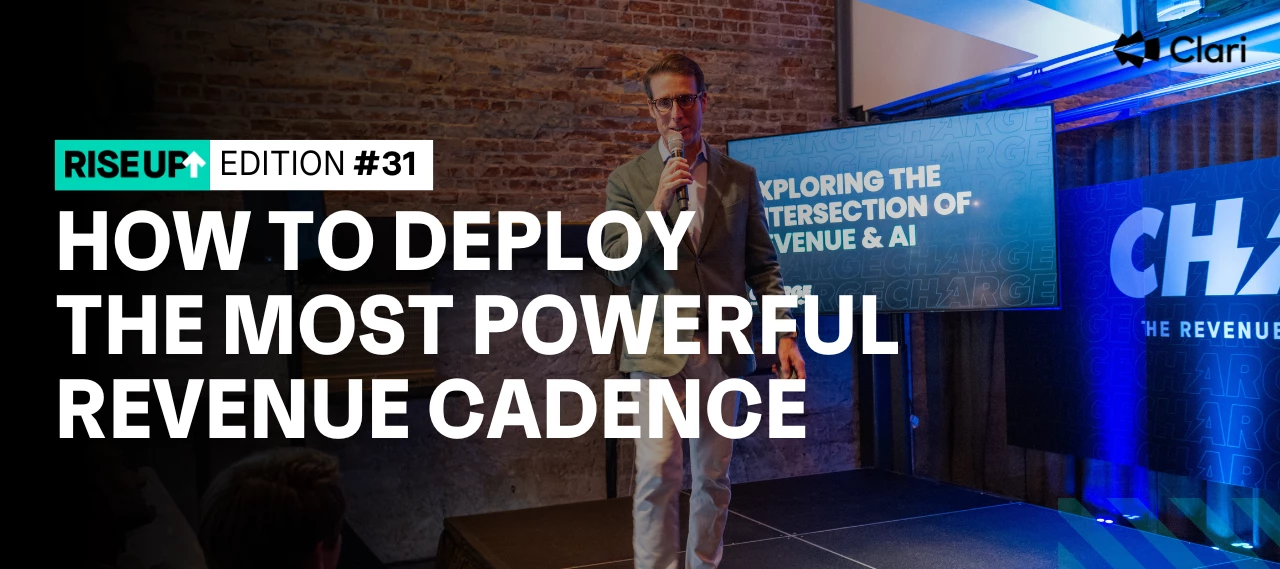
Cadences drive revenue growth, plain and simple.Teams that run a consistent, organized process can bank on growing the bottom line quarter-after-quarter. Meanwhile, teams that rely on ad-hoc reviews and one-off practices are opening the door to inconsistent performance and revenue leak.Today, let’s take a look at how top leaders are using a 13-week revenue cadence to capture more opportunities and build a legendary career in revenue. What is a 13-week revenue cadence?A revenue cadence is the ongoing motion of moments that teams leverage across quarters to deliver predictable, repeatable revenue processes.In other words, it’s the engine that powers your revenue vehicle.Throughout the quarter (or 13 weeks), your revenue team engages in countless moments that make or break the company’s success. Sales rep and manager one-on-ones, forecast calls, pipeline calls, board preparation, quarterly business reviews, and more.To go a step further, many teams break their quarter down into three dist
Strategy #1: Personalized MessageWithin the first 8 seconds, you have the prospect’s attention. Make it count by showing you’ve done your research and add a personal touch in the introduction. Why Personalization is ImportantPersonalization is a key factor to increase response rate Personalizing the first part of your email message can double your reply rate. Most successful Reps take the time to do their research and cut through the noise using Personalization Personalization doesn’t need to be long, focus on less than 100 words in your intro to make an impactful message. Strategy #2: Identify Pain and Provide a SolutionIdentify common challenges based on the Client Profile and provide actionable solutions related to the challenges identified that your product or service has solved in the past. Strategy #3: Call to ActionThe closing should always end with an action for the prospect to follow-up on. Directly make an ask to work together on a specific solution.
We are thrilled to announce the next phase of our integration of Copilot within the core Clari platform. Now you can save time and streamline workflows by accessing all of your critical information in one place. This integration merges our best-in-class solutions in revenue operations and conversation intelligence into a single, powerful platform.See how a Clari Account Executive, Vivianna Vu, uses Copilot to supercharge productivity in her day to day. You’ll learn:How to activate your conversation intelligence How to uncover key insights before the call about receiving moment-critical information during the call How to leverage AI-powered insights for tailored, actionable next stepsThese are just a few of the golden productivity tips you’ll uncover in this video, so go ahead and dig in!
Hi all,For our field reps(=Individual contributors) the option to export reports either from Clari/SFDC is excluded, mainly for data integrity and security reasons.Now I wish o challenge this one and re-open it for export by field reps.I wonder how this is being handled in other companies, what is the best practice and if the majority of companies allow/don't allow field rep export reports.
The other day, I was reflecting on my time with Clari — 11 years and counting. Sometimes our founding feels like forever ago. Other times it feels like only yesterday. And as I thought more about the years since we’ve started, a thought crept to the front of my mind. I’m more inspired and excited than I’ve ever been. Maintaining motivation for a decade takes a thoughtful approach. It’s easy to push ahead when things are going well. But when you get slammed, it’s a different story. You question your decisions. Worry about the future. Feel burned out. True business-building motivation requires what my friend and fellow CEO, Mark Gainey, calls the 3 Ps: persistence, patience, and perspective. Today, I’d like to share Mark’s simple three-part framework. Use it to stay motivated, driven, and ready to overcome any career challenge that comes your way. Let’s take a look. 1. Persistence Motivation can be fickle. No doubt, you’ve seen professionals who are overflowing with motivation. They burs
Hi Clari Land! Are you interested in tracking Net Retention but don’t know how to get started?Or perhaps you’re looking for inspiration on how to “get more” out of your data.Or for customers who have seen our demos on Net Retention thought, “gee, that looks pretty cool. I want a tab just like that in my Forecast!”, look no further. In the thread of this post, I’ll include the forecast configuration for the tab I’ve attached here. All you’ll need to do is add the api names of the fields that are relevant to your business for the amount and the filter criteria, then submit this updated document directly to the Build/Change queue via the support portal. THAT’S IT! As always, your CSM is on hand to assist. Happy Forecasting, Clarians.
A way to set your Clari instance apart from the pack is by leveraging Slipped Deal Reasons and Push Counters in Salesforce and, ultimately, Clari. With both of these pieces in place, your teams can provide more insight and data you can use to understand behaviors in the market as well as within your organization. This can inform enablement, coverage plans, and prioritization for the rest of the business in support of other growth initiatives. If you take advantage of the validation rules in Salesforce, Clari can inherit that behavior and ensure that any time a deal is pushed out of the quarter, that deal has a push reason associated with that change. Another great field to leverage in your SFDC instance is a push counter. Each time the close date moves out, the push counter adds a single count to keep track of how many times that deal is pushed, which helps you spot deals that are moving out repeatedly. Examples of Slipped Deal Reasons: Lost Contact Competitive Pressure Technical
A great Dashboard helps you answer critical questions about your revenue, and mitigates risk by helping you surface the red and spot opportunities to win. So what kinds of questions can a Clari help you answer about your pipeline health? Pipeline HealthWhat is our pipeline? Are we generating enough pipeline? Are we nurturing and progressing the pipeline? 1. What is the pipeline?What is the pipeline for CQ / NQ? KPI Widgets pull the aggregate totals from a selected View such as Total Amount, Total # of Deals, and Average Deal Size. I’d suggest you pin KPI Widgets based on the following Views to your Dashboard:CQ Pipeline NQ PipelineNOTE: The Views might be called something slightly different in your Clari instance depending on what you named them.You can break these down further as you see fit, according to your Views. Generally, the business segments that you consider important enough to create special Views for are probably the same ones that you want to see in your Dashboard, whether
Already have an account? Login
No account yet? Create an account
Enter your E-mail address. We'll send you an e-mail with instructions to reset your password.