


















Welcome to the NEW Salesloft Community — Read all about it!
Discuss all things Clari!
Win every revenue moment with Clari Copilot
Collaborate and close with Clari Align
Sales engagement, reimagined
Recently active
Is there a way to quickly reset all of the opportunities I’ve starred without manually clicking them all? Thanks
As we embark on this new year, the question arises of how can our revenue teams position themselves for success in 2024? It requires a thoughtful, well-played strategy for the challenges and opportunities that lie ahead. Paige O’Neill, CMO at Seismic, specializes in positioning revenue teams to be as successful as possible and has played a crucial role in driving Seismic's strategies in the competitive market landscape. In this episode, Paige discusses the growth of enablement in organizations, the evolving challenges faced by sales teams in a selling environment, the role of technology in sales training and enablement, and the impact of collaboration and a holistic approach within the go-to-market team for sustained success.Here’s what’s inside: Cultivate a year-round enablement ecosystem. Successful enablement programs are not just about energetic launch events; they're about creating an ecosystem of sustained support that aligns with your go-to-market initiatives. This calls for in
As we embark on this new year, the question arises of how can our revenue teams position themselves for success in 2024? It requires a thoughtful, well-played strategy for the challenges and opportunities that lie ahead.Paige O’Neill, CMO at Seismic, specializes in positioning revenue teams to be as successful as possible and has played a crucial role in driving Seismic's strategies in the competitive market landscape.In this episode, Paige discusses the growth of enablement in organizations, the evolving challenges faced by sales teams in a selling environment, the role of technology in sales training and enablement, and the impact of collaboration and a holistic approach within the go-to-market team for sustained success. Here’s what’s inside:Cultivate a year-round enablement ecosystem. Successful enablement programs are not just about energetic launch events; they're about creating an ecosystem of sustained support that aligns with your go-to-market initiatives. This calls for integ
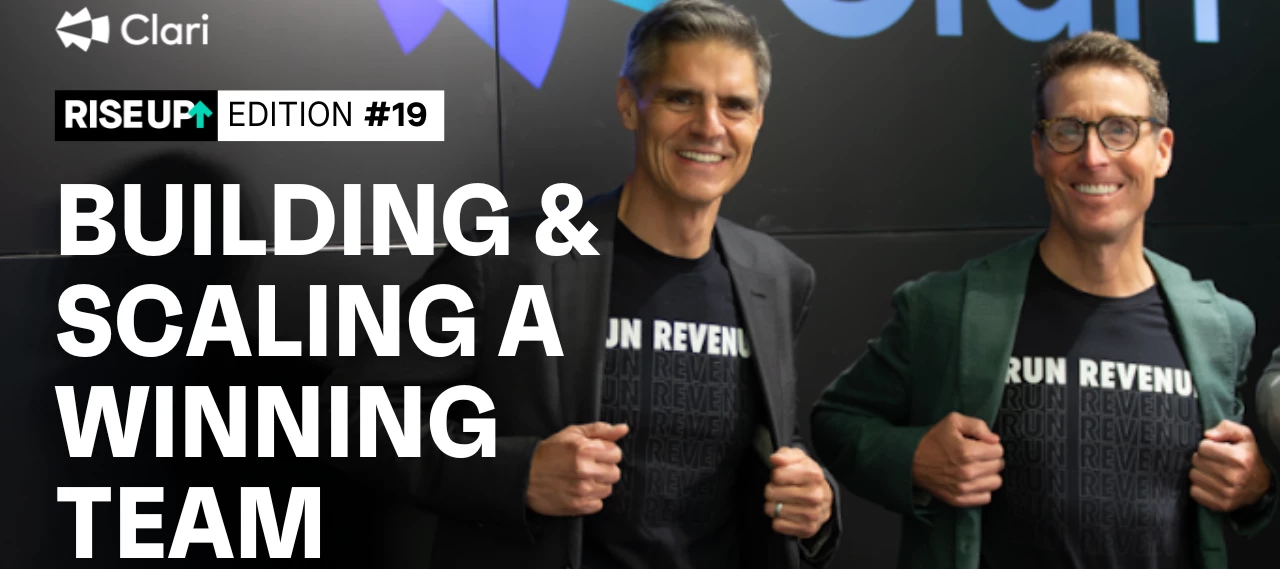
Nobody launches a legendary revenue career alone.Whether you’re growing a startup from scratch or taking over an emerging company, you’re in the team-building business.Over the last decade, we’ve scaled Clari from a small founding team to an organization of 700+. Along the way, we’ve taken essential steps to build and scale our winning team.When done right, the collective efforts of a well-aligned team can really push the company forward.Here are my three tips to get you started – specifically for going from 0 to 100 employees.Remember, a legendary career is often a reflection of the strength and synergy within the team you’ve built. 1. Identify early attributesYour first 25 hires have an outsized effect.They establish the company culture. They help you break through business barriers. They often move on to key leadership positions.Make sure you’re hiring right.At Clari, there was a clear criteria we used for early hires. We looked for what I call “athlete generalists.”Athlete generali
Every enterprise sales rep has probably heard this rule of thumb: Fill up your pipeline with at least 3X your revenue targets for that period, and you’ll be in good shape.But where’s the evidence that justifies that rule? Dave Kellogg, a Silicon Valley insider and serial enterprise software CEO, once poked fun at the decades-old adage: “It makes sense: 2X seems tight and 4X seems rich. So, through the Goldilocks Principle, we ended up with 3X.”Sales managers use pipeline coverage to get a snapshot of how potential deals stack up to their revenue targets. Checking this metric early in the current sales period — or, even better, for upcoming quarters — can alert sales managers to the most pressing scenarios: deals that are slipping, not enough prospects to hit quota, etc. But the standard 3X rule isn’t a one-size-fits-all solution and won’t give sales organizations the accuracy they need to hit their numbers.So how do you set the right goals for your organization’s pipeline coverage? Let
@Kevin Knieriem, Clari's CRO, recently wrote a column in Selling Power magazine* about the importance of every CRO needing to formulate an AI strategy that delivers scale and growth while improving employee satisfaction and job satisfaction. In the article, he describe 5 key principles CROs need to consider when formulating their AI strategyCompanies will differentiate and win based on proprietary data and workflow integration. AI models have become widely accessible to competitors. For Chief Revenue Officers (CROs) aiming to transform revenue processes and achieve significant results, the key is understanding that the success of AI models depends on the quality of the data they receive and how effectively that data is integrated into specific revenue workflows. In other words, achieving breakthrough results in revenue generation requires careful consideration of data quality and its integration into tailored workflows. Keep your eye on these two key outcomes. First, CROs need to focu
As a revenue operations team that manages a SaaS portfolio, it is critical for us to forecast three numbers; Renewal, New Business (New Logo & Expansion), and Total Amount. In our Forecast view, we can easily separate based on the associated SFDC fields. If I am looking to show only the new amount or Renewal amount in a dashboard view is that possible. Simply pinning a filtered view seems to only pull from the total amount field. Ie. How many deals have impacted Commit decreasing (ie. slipped, closed lost, downgraded)? What is the total of new business? Renewal Business? Right now I can see I lost $100 but I cannot see that 50.00 was new business and 50.00 was renewal. Can Clari support this kind of view?
Cultivating talent can be tricky for your sales team, but it’s essential. And it’s not just about hiring the right people but enhancing and nurturing current employees' skills to run revenue in a more efficient and effective way. In this episode of the Run Revenue Show, Mike Esterday, CEO of Integrity Solutions, shares the secret of how to hire, keep, and grow talent so you can run revenue like a pro.Here’s what’s inside:* Align personal purpose with professional goals. It’s important to engage in conversations that uncover employees’ intrinsic motivators and facilitate a deeper understanding of how their personal aspirations can be achieved through their roles. By defining and reminding your team members of the larger mission and the impact they are making for customers, you create a customer-centric mindset that drives performance.* Develop a growth mindset in sales teams. Focus on not just what your teams are achieving but how they're achieving it. Encourage a culture of continuou
One of our customers is rolling out a new internal account review process for out top strategic accounts. Has anyone else done this? Can you share templates, best practices, etc?
If you are tracking products/product families in your CRM, you might be interested in evolving your forecasting process to be more precise and segment forecasting by products. 💡Clari can help you achieve this by configuring the Forecast module to surface insights about your Products. Here is a quick introduction to this concept in Clari as well as what to expect operationally: Introduction: Watch the Product Level Forecasting Webinar (15MIN, + Q&A) Review the post, How do I forecast by products? Confirm answers to the following basic requirements: Product Filters - How do you define each product or product line? Product Filter Segment - Are products also bundled into 'product families'? Relevant Amount - What amount field do you aggregate on? Forecasting Cadence - Who is responsible, is a Forecast call required? Example from Clari Demo Environment: THE DISCOVERY PROCESS: WHAT TO EXPECT NEXT?Now that you’ve learned some of the basics and consolidated the foundations of what
SaaS companies need repeat customers. After all, the definition of a SaaS business is one that delivers a service, usually through subscription, to be used by a customer repeatedly over time.To succeed and grow, SaaS companies need to focus on the retention, engagement, and potential of their existing customers. That’s in part because acquiring new customers is hard, as well as expensive and time-consuming. Leveraging customer success as a true revenue driver relies on delivering mutual value.Data proves it. According to Gartner, customers who get value from an interaction with a vendor’s customer success team are 82% more likely to renew their subscription and 97% more likely to share positive word-of-mouth endorsements about the company. In other words, great customer service has the power to unlock recurring revenue and customer loyalty.That’s where net dollar retention comes in. A revenue metric that essentially recalculates your annual recurring revenue(ARR) to incorporate growth
It’s that time again for many companies in the SaaS space: end of Fiscal Year / New FY Kick Off! With this turning of the corner, many Revenue teams examine their current workflows and kick off new processes, but how frequently are these changes made in the context of the Quarterly Cadence? What is a Revenue Cadence?As our own Kevin Knieriem has defined it, it’s the ongoing motion of revenue moments that revenue teams leverage across quarters to deliver predictable, repeatable revenue processes. What kinds of revenue moments are these?All of these processes you examine and kick off and tweak regularly:Manager / Rep 1:1s Slipped Deal Reviews TOFU Reviews Forecast calls and on and onHow can Clari help with these? Clari is uniquely positioned to help, not only execute these moments, but also articulate and design your cadence. We have created a number of resources to help revenue teams give thought to and enable their teams on a more rigorous cadence. Here are just a few:The Revenue Cad
Allow for more characters when adding comments to Next Step
Breaking news: LinkedIn's Jobs on the Rise 2024 Report is just out. Included on the list of the 25 fastest growing jobs are Chief Growth Officer at #1, and Director of Revenue Operations at #4.To help you in one of these roles, surf around the site and check out such areas as our Videos and PodcastsWhat do you think your next role will be? How can we help you accelerate your career and achieve your career goals?
Have you ever been in these following situations before and struggled to gain context to take the next step?Curious to learn more about the latest feature launch but unsure how to explain about it in your customer meetings Trying to identify if someone on your team had any recent engagement via a call with a stakeholder from a specific domain/account There is a new change in your sales process and you are keen to learn more about how your peers have incorporated these changes into their recent customer meetingsIf the answer to the above question is, YES, you are now extremely close to finding a way to identify a solution for the above situations. And that would be by unlocking the power of Copilot’s Universal search. This is where you find the search in Copilot. These are the various parameters you can look for while leveraging the search: Run a search based on…Account Names Call Transcripts Meeting participants Meeting titles Let’s dive into what these search terms would look li
Pipeline generation and forecasting accurately are two essential factors that play into revenue acceleration. And let's face it… it can be a challenge to balance them both. Lucky for you, Jeremey Donovan, EVP of RevOps and Strategy at Insight Partners, joins the Run Revenue Show to share how top performers maximize pipelines and forecast accurately. Tune in to hear Jeremey share the strategies behind it all.Here’s what’s inside:* Foster discipline in pipeline generation and management. It's crucial to take a closer look at where deals are coming from and how valuable they really are. Set up regular meetings with your team to carefully examine the pipeline, figure out which leads are the most promising, shift your focus to activities that actually bring in results, and concentrate on creating opportunities.* Prioritize human capital and define processes. Having a skilled team and effective processes is more crucial than just relying on technology. Focus on building a strong team to f
For what feels like the millionth quarter in a row, users within your existing Role Hierarchy have changed roles, moved to new teams, left the company, or been promoted. When this happens within a Role Hierarchy, those users take the deals they owned and closed with them to wherever they land next. This can make historical reporting an exercise in keeping your sanity (sometimes we lose that fight). This occurs because of the limitations within Salesforce’s Role Hierarchy setup. Each user who closes out a deal will have that deal associated with them unless you move that deal or create a placeholder. We discuss how to do this and what it can look like here. Yet, each suggested approach Clari recommends is merely a bandaid fix for what is a structural issue when it comes to deal movement from your CRM, which may be fine if your sales team isn’t too big or you don’t experience changes often, but can be painful for growing sales teams. Enter “Enterprise Territory Management” (a.k.a ETM, or
You are reviewing a call but suddenly remembered a question from another call with the prospect two weeks ago. But you have forgotten what the meeting title was and you need to scroll down on My Calls for a couple minutes to find the relevant call. Has this happened to you before? If you’re looking to do a quick activity review on a certain account, the Account View on Copilot can be a quick and easy way to get context on a deal. It is your all-in-one review screen for all calls (or emails) with that customer or prospect. Here are how some Copilot users make the most of this view -Reps can use search within account view to find specific questions that they need to follow up on Sales Managers can view the entire engagement on a deal and search of key topics to see what has been discussed so far Customer Success Managers or Account Managers can get context before taking handover for a new customer from implementation team or sales Support Engineers can understand the issue discussed on a
As the old adage goes: You can't manage what you don't measure. In sales, accurate measurements could mean the difference between hitting your number or coming up short. This is where sales metrics and KPIs come in. Without them, you'll be left in the dark when it comes to leading your revenue team to success.Thanks to powerful AI-based solutions, we now have more sales data than ever at our fingertips—but just having access to sales metrics isn't enough. In order to run revenue effectively, it's essential to know what to measure and how to interpret the results.Here's how to ensure your business selects the right sales KPIs, tracks those metrics consistently, and works to improve sales performance and achieve revenue precision. What is sales analytics?Sales data analytics is the review of sales data, metrics, and trends to gain insights that can improve sales team performance, sales productivity, and sales effectiveness; help drive accurate sales forecasts; and refine the overall sale
This article provides best practices for uploading recorded calls to Copilot and manually inviting Copilot to your meetings, ensuring you capture important insights even when Copilot isn't automatically present.Let’s dive deeper into the usecases…1. Upload a recording onto Copilot:Missed adding Copilot to a recorded call? Don’t worry, you always have the option to upload it to Copilot and get the required insights. Here’s how👇 Some best practices to keep in mind while uploading:Make sure to give your call a title that makes it easy for you to recognize with whom this meeting was and about what (e.g. Clari <> Acme Inc: Platform Demo 1) Fill in the emails of all the external attendees- this is important as using that email Copilot will tag the meeting to the right opportunity and account. This way you can see all your conversations with an account in one place Under reps- select yourself or other internal team members who joined the call Make sure the call recording file is in ei
Structuring your overall go-to-market approach is a common pivotal pain point, but it’s also one of the most essential practices to nail. The question you need to answer is this: How do you currently navigate the challenges of scaling and growing your business, especially in terms of structuring your go-to-market approach?Lucky for us, Harrison Rose, CEO of GoodFit, specializes in this area to boost business revenue. In this episode of the Run Revenue Show, Harrison discusses strategic customer targeting and the importance of timing in getting in front of the right customers, utilizing data to inform go-to-market strategies and sales processes, the challenges and importance of building outbound machinery, maintaining data quality, defining ideal customer profiles for effective sales outreach, and more. Here’s what’s inside: - Focus outbound marketing efforts on the right customers. This involves using qualification rates to assess if outreach is aimed at the appropriate prospects, whi
As a recording user on Copilot your call recordings are made available for you to review within a few minutes of your meeting end time. The benefits of this are:You can now review your call almost instantly and follow-up on the action items that you had promised while on the meeting You are able to share the call recording with a relevant stakeholder (be it internal/external) and collaborate within a few clicks Today, we are going to focus on 3 ways through which you can share your call recordings & also manage them within Copilot. 1. Sharing the entire call recording: Within a few minutes of you completing your meeting, you will be able to find a recording of the call available in your My calls/Team calls page within Copilot. To go ahead and share the entire recording, you would just need to follow the below steps (as shown in the GIF) Best practices to keep in mind: To add a layer of security while sharing these links externally, you can ask the viewer’s email for access and al
Attention Admins!If you are looking to track the adoption of Clari Copilot within your team, then look no further. We are going to tell you HOW? You will see a little graph icon on the top right labeled as “Activity dashboard” and this is where the crucial data lies that will help you understand which managers and reps are actually utilizing the platform and capabilities : Your team’s usage stats are presented in two ways and you can easily filter for your own team or a specific user and your preferred time duration : Coaching -> View insightful stats on reviewed calls, game tapes created and comments made on the calls by managers.Ask the managers to get started with reviewing at least 1 call per rep per week and add comments while at it to share feedbacks and tips with the team members so that their 1:1s can be leveraged for high-value conversations rather than simply reporting and updates. Learning and Collaboration -> Get important stats on reviewed calls, game tapes wa
With Auto Capture there is a setting to allow when you first sync emails back to Salesforce to include Past Activities. This causes an issue because Salesforce displays the acitviities in the activity sidebar by the date they are completed.. This is an issue because on 1st sync because we are syncing completed emails from the past, all the activities are showing up for the month they are created… I checked this with Salesforce and they confirmed that the ‘CompletedDateTime’ is an audit field that cannot be manipulated. As we are created the emails as Completed Salesforce is stamping this field as completed on the day they are created.. so instead of the emails showing up in salesforce on the day they are sent they are showing up on the day they were created…HAS ANYONE ELSE HAD THIS ISSUE? and was there anything you were able to do to recitfy it or did you accept all emails were completed on the day they were created? Actual response from SalesforceI appreciate your patience and und
Hi all - I'm wondering if you might have any best practices for forecasting holdovers? Our planned approach is as follows:Parties who will receive crediting for holdovers areOpportunity Owner FY25 Account Owner Mgmt hierarchyParties who will NOT receive crediting for holdovers areOpportunity Owner Mgmt hierarchy: FY25 Account OwnerThis means that simply following the mgmt hierarchy for crediting (as we would normally) won't suffice. Appreciate any guidance you might have.
Already have an account? Login
No account yet? Create an account
Enter your E-mail address. We'll send you an e-mail with instructions to reset your password.