Timm Ideker
New Contributor
May 24, 2024
Solved

New Forecast Category not showing in Pipeline View

  • May 24, 2024
  • 0 replies
  • 219 views

We created a new Forecast Category in SFDC called Most Likely earlier this week. For this week’s forecast call, I see that we have 2 opportunities in Most Likely, however, when I click on Pipeline within the Clari → Forecast → PIpeline . . . I don’t see those 2 opportunities on the Insights/Eyeball view on the right window pane.

I can see the 2 opportunities when I click Inspect → Opportunities. 

How do I update my Pipeline View to show opportunities in this “new” forecast category? 

Thank you in advance!

    This topic has been closed for replies.
    Best answer by Ty Lapinski

    Hi @Timm Ideker,

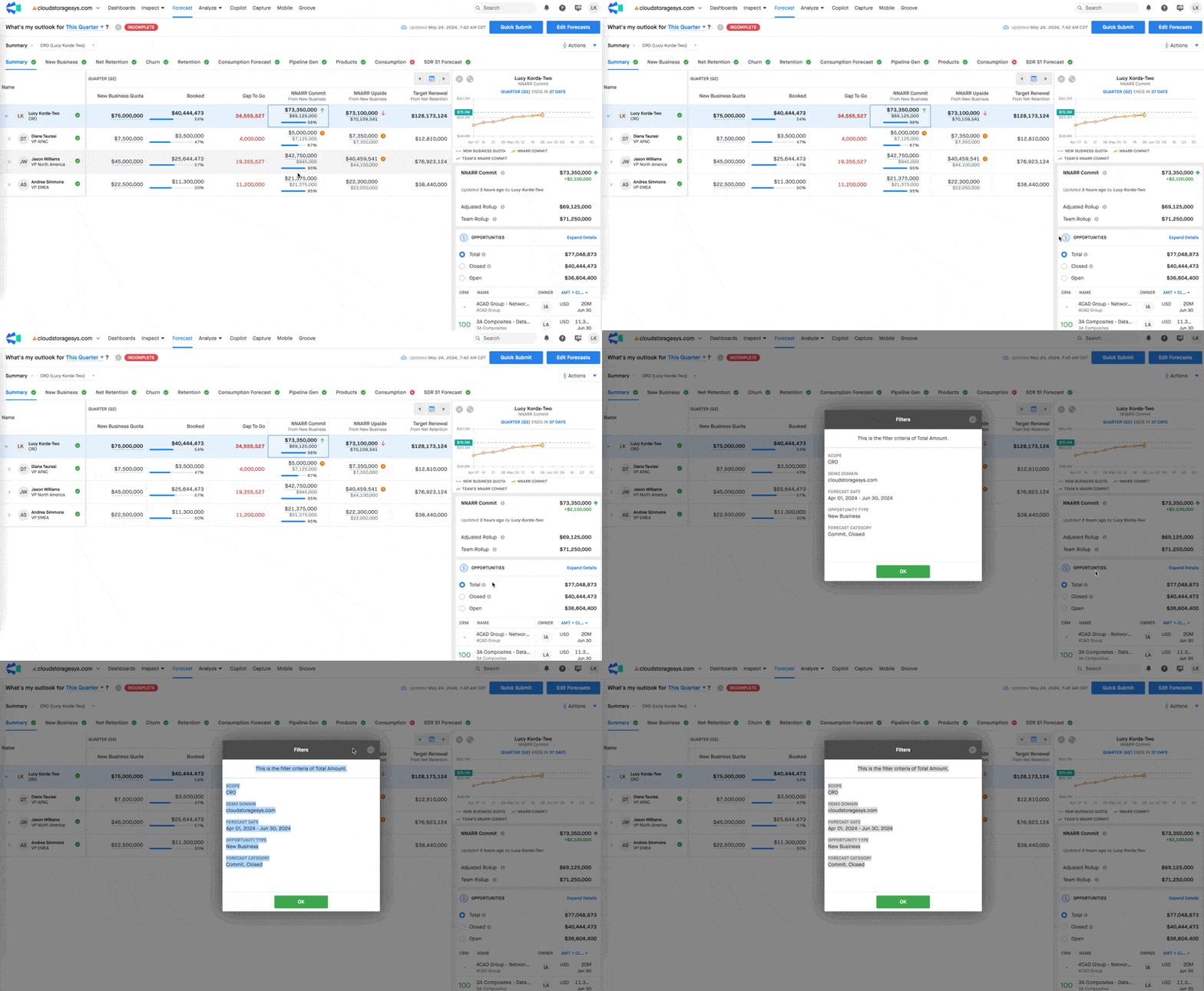
    The query we are calling to Salesforce for your Pipeline field in Forecast will need to be updated to include Most Likely as a value if it is new. This change will need to be made by our configuration team. You can inspect the current filters applied to a field in Forecast by selecting the field, hovering over the grey icon in the right-hand panel > View Filters.

    If you are a Designated Support Contact for your organization, you can navigate to the Support tab at the top of your screen in the Community, select Get Support, and then open a Change Production Configuration case with the request to update the necessary fields in forecast.


    Hope this is helpful!

    Ty Lapinski
    Salesloft Employee
    Salesloft Employee
    May 24, 2024

    Hi @Timm Ideker,

    The query we are calling to Salesforce for your Pipeline field in Forecast will need to be updated to include Most Likely as a value if it is new. This change will need to be made by our configuration team. You can inspect the current filters applied to a field in Forecast by selecting the field, hovering over the grey icon in the right-hand panel > View Filters.

    If you are a Designated Support Contact for your organization, you can navigate to the Support tab at the top of your screen in the Community, select Get Support, and then open a Change Production Configuration case with the request to update the necessary fields in forecast.


    Hope this is helpful!

    Ty Lapinski | Director, Customer Success