Salesloft Employee
April 12, 2023
Solved

How do you delete a mode?

  • April 12, 2023
  • 0 replies
  • 170 views

I see in Field Config via Clari Studio that system admins can create modes. Conversely, how can we delete modes that are no longer needed?

Are there any key considerations to keep in mind when deciding to delete modes?

This topic has been closed for replies.
Best answer by David Ogborn

Hey @Dorothy Fuentes 


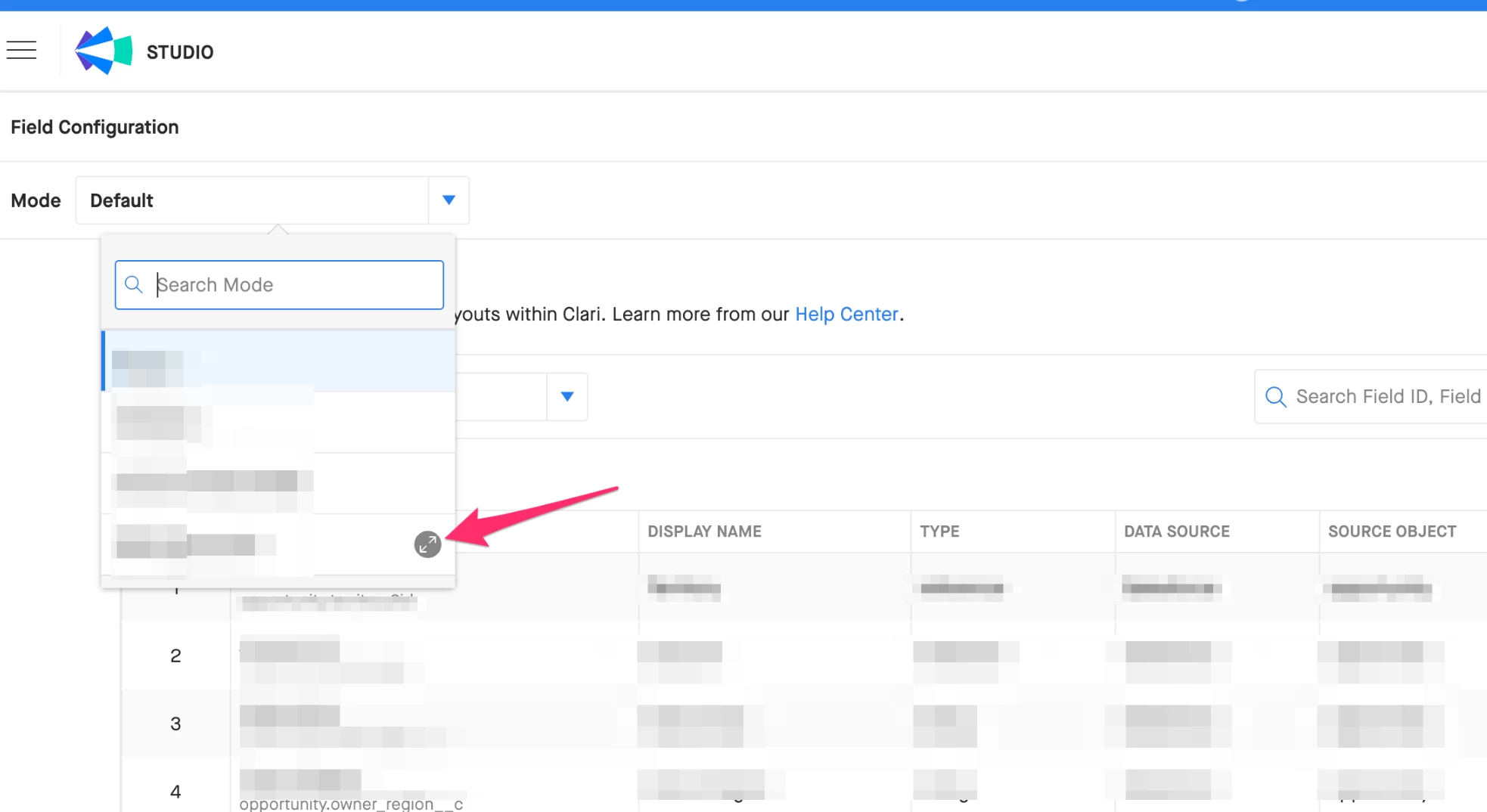
You can delete a Mode in Field Configuration by clicking the icon with the arrows when you hover over the desired Mode.


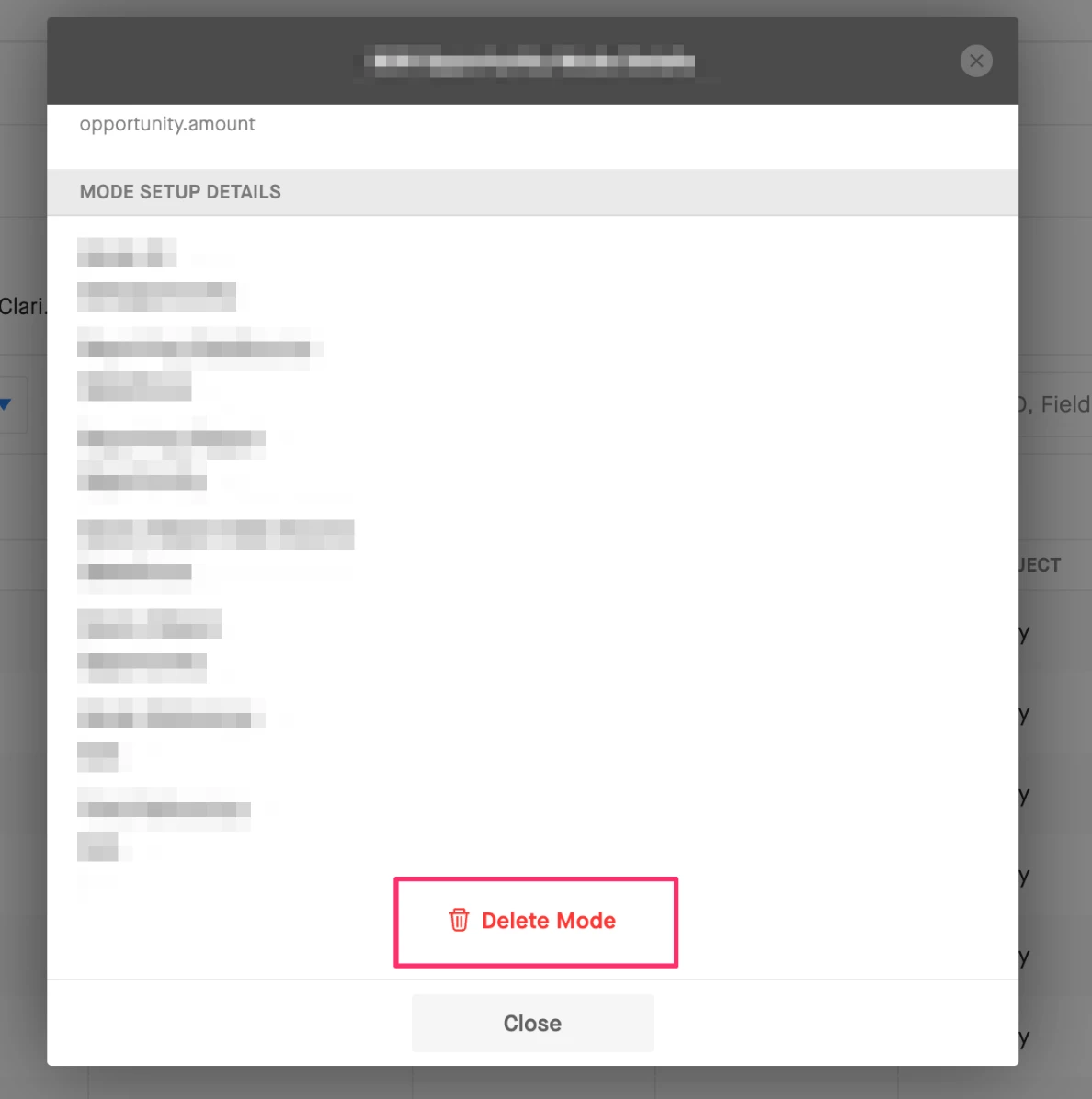
From there scroll to the bottom of the Mode details and there should be a "Delete Mode" button.


In terms of considerations, when deleting a mode any associated views would be lost and if a forecasting tab was working off of a mode that was deleted it will break.


David

David Ogborn
Esteemed Contributor
April 12, 2023

Hey @Dorothy Fuentes 


You can delete a Mode in Field Configuration by clicking the icon with the arrows when you hover over the desired Mode.


From there scroll to the bottom of the Mode details and there should be a "Delete Mode" button.


In terms of considerations, when deleting a mode any associated views would be lost and if a forecasting tab was working off of a mode that was deleted it will break.


David

lyuda.rogers
Salesloft Employee
Salesloft Employee
April 12, 2023

@Dorothy Fuentes I would also add that there are some modes that can not be deleted because they are required modes, such as Opportunity or Account Owner ones.