




FAQ: How do I add someone to a Flow from an inbound email?
The quickest method to add someone to a Flow from an inbound email is to select the Add to Flow action directly from the inbound email. When you open an email, you can easily access someone’s Salesforce contact information via the Omnibar, and add them to the appropriate Flow directly from the Omnibar as well:
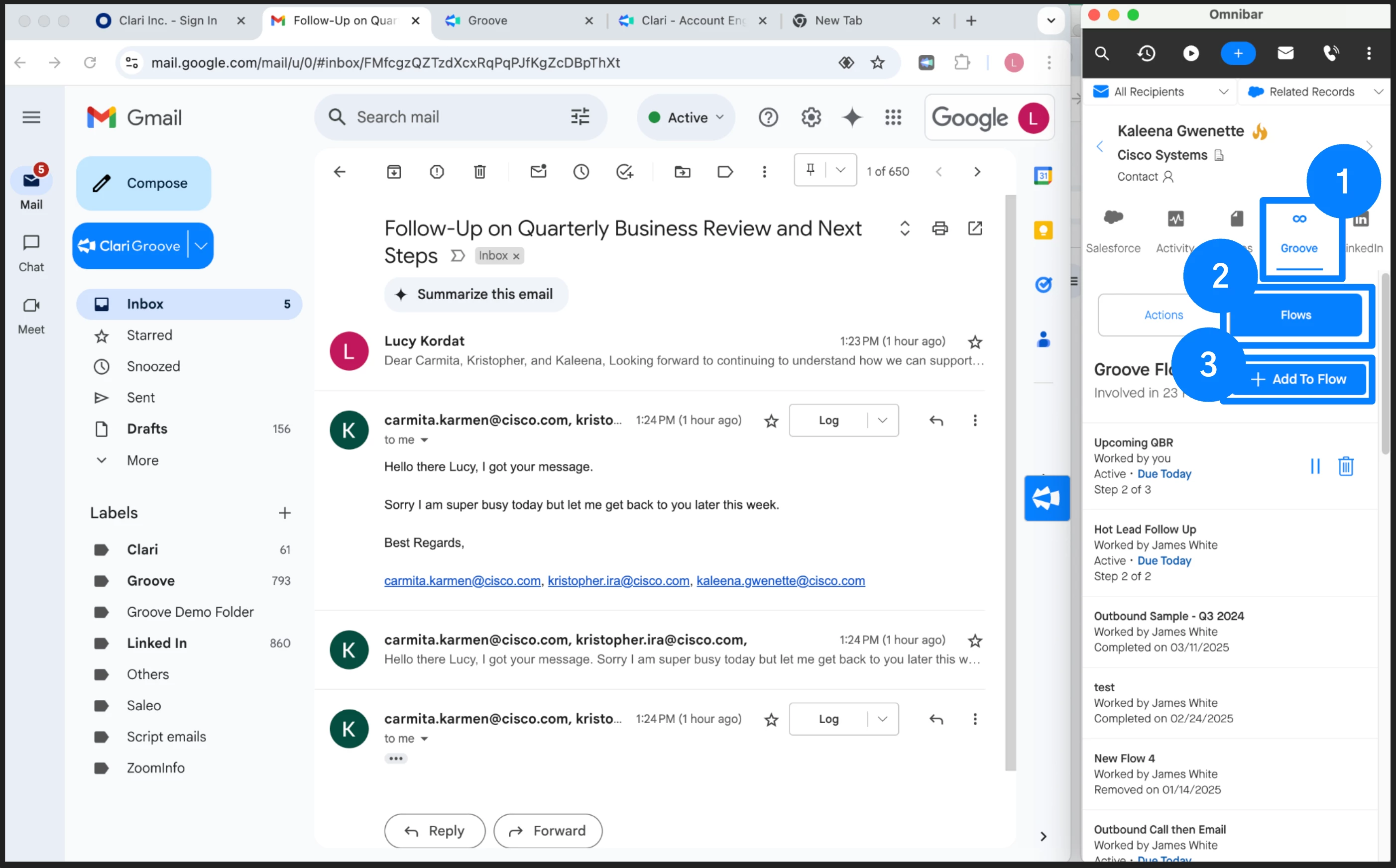
Keep in mind that when a Flow is initiated, it is treated as a new process, so the email thread sent from the Flow will not thread to the original inbound email (you can set all of the emails from the Flow to thread together, however).