














Welcome to the NEW Salesloft Community — Read all about it!
Discuss all things Clari!
Win every revenue moment with Clari Copilot
Collaborate and close with Clari Align
Sales engagement, reimagined
Recently active
RISE UP is Andy Byrne’s (CEO, Clari) bi-weekly newsletter. Every other Friday, he’ll share one tip for reaching your potential and building a legendary revenue career. You hear a lot of stories about successful startups going from nothing to multi-billion dollar status and transforming the world. And a popular question people ask is: What opportunity did the entrepreneur see? For me when starting Clari, it was that revenue is not just a quarterly outcome — it’s the most important business process. And the realization that (at the time) there wasn’t an enterprise-grade system that was purpose-built to run the entire process from start to finish. That was 10 years ago, and we’re still on that mission. But there’s been a new addition: AI. Clari has always worked with AI and ML – we recently even introduced RevGPT, a generative AI solution build into the Clari Revenue Platform that uses ChatGPT to give companies answers to the most critical revenue questions and take answers. The challeng
Anmol Thiara (@anmol), Product Manager at Clari, was super excited to show all the great things in Forecast, including:Waterfall in Forecasting (launched!) Forecast Quick Submit (in early access) Modern Forecast Workflows Forecast Trend History Forecast AnythingWatch the demo to get a sneak peek at the new experience coming soon to Forecast! If you’re interested in getting early access to Quick Submit, reach out to your CSM/AM.Safe Harbor Statement: This presentation is intended to outline Clari’s general product roadmap and vision. It should be used for informational purposes only, and is not a commitment to deliver any specific functionality. This presentation cannot be incorporated into any contract and should not be used when making decisions to purchase. The release and timing of these features remains at Clari’s sole discretion. Which Forecast capability are you most excited about? What object, if you had the ability to forecast it in Clari, would be an absolute game changer for
In this week’s product updates and roadmap webinar, Clari’s Group VP of Product, Phil Cooper (@coopes) , shared the product vision that drives where Clari is innovating to help you win every revenue moment. Take a look.Safe Harbor Statement: This presentation is intended to outline Clari’s general product roadmap and vision. It should be used for informational purposes only, and is not a commitment to deliver any specific functionality. This presentation cannot be incorporated into any contract and should not be used when making decisions to purchase. The release and timing of these features remains at Clari’s sole discretion. The chat lit up when they saw this slide—which pillar is most exciting to you personally, and why? Reply to this post to share your thoughts!
As an Admin on Clari Copilot you must have completed a bunch of configurations as part of your onboarding flow in the product. One important configuration among them would be the integration between your CRM and Clari Copilot. You must have wondered about why we need to complete this sync, right? Through this post I am going to break down the 3 most important benefits, just so that you are able to make the most out of this integration.Sync the required fields from your CRM to analyze conversations better Push important call metadata from Clari Copilot to your CRM and superpower your CRM insights Review an account based on all the engagement to gain context and make better decisionsNow, let’s dive deeper into these benefits. 1. Sync the required fields from your CRM ➡️ Clari Copilot to analyze conversations better:A CRM houses a lot of critical information in connection to an account/contact. During the process of reviewing your calls on Clari Copilot, these CRM fields can help you fur
You’re reading Devin Reed’s post from Clari Labs, where we analyze hundreds of thousands of data points to uncover new paths to revenue, so you can exceed your revenue targets. In today’s analysis, we isolated call data from Clari Copilot, Clari’s conversation intelligence tool, to explore how to increase win rates. You’ve got it all.A great product. Solid pitch. Even a few go-to jokes to break the ice.But one unexpected objection can put you on your heels at the worst possible moment.Even the most prepared reps can get caught off guard with objections like:-Your price is too high!-We just don’t have any budget-How are you different from Competitor X? The stakes are higher than ever today, and the pressure is on to perform. Misstepping during critical talk tracks seeds doubt in your buyer’s mind and puts your months of hard work at risk.And no one can afford more risk right now. So I started combing through Clari’s database to see what top performing reps do differently to overcome the
Allow Pinning of Currency, our corporate currency is USD, and we have multi currency enabled which means regardless of my user currency or i always see USD when i want to see GBP. I know I can change it but i want to pin it so i dont have to change after ever login and page refresh
Why do the KPI widgets show 0 on a dashboard for some users?
This topic comes straight from our weekly office hours. Join us every Thursday @ 9 am PST. Special thanks to @Lala Djafarov for raising this topic! If you notice a discrepancy between the End Open Pipeline in Waterfall and the aggregated amount in your Opportunities Module Make sure your filters match between the bucket you’re looking at in Waterfall and the Opportunities Module (tip: you can click directly on a bucket in Waterfall to look at those deals). Note the recent changes to your opportunities with the highlighted fields in the opportunity grid. Waterfall (and the other analytics modules) take snapshots to allow you to look at different periods of time, so real-time changes to your deals (i.e. the primary amount field) might account for the discrepancy you’re seeing. Check out Flow to look at how deals moved within the same time period from a different lense to see if, for example, some deals just slipped out of the current quarter that account for the difference you are seein
We're thrilled that you're ready to use Clari. To get up to speed, you can review the recorded training below, which includes the following: Introducing Clari Setting Expectations Live Demo Challenges Important Reminders and Best Practices Best PracticesBelow, you'll find best practices to help you get the most out of Clari. 1. When you want to find your Saved Views in Clari, use the Views drop-down in the Opportunities Module. Note: This example is about Saved Views in Opportunities. To learn to use Saved Views in the Analytics or Accounts Modules, check out this article in our Knowledge Base. Want to share a Saved View? To share a Saved View in Opportunities: Click Actions > Share Saved View 2. Leverage Groups using the Add Group button. To remove a Group, click X. 3. Use Expanded View in the Forecast Module to inspect your path to your number. 4. Double-click any field to update your deals in Opportunities. The changes you make will reflect in your CRM in real time. 5. Use t
Can PAFOMs include their own comments in opportunities?I’m looking for an exclusive field where we can insert management comments that must be hidden from Sales Team.
Question of the week. I am relatively new to the Revenue space, although I worked at HubSpot and Adobe. But the industry has evolved in the last two years - so I am interested in learning how your teams are structured and who are the key stakeholders (job titles) using Clari’s products.@mention me when you post so I can learn asap.Wilder
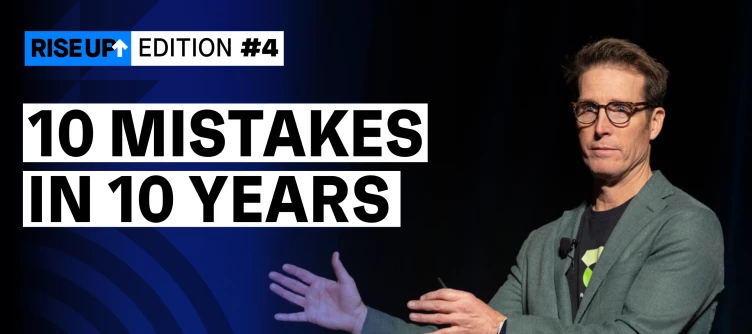
In his latest RISE UP post, Andy Byrne, CEO, shared his top 10 mistakes in 10 years as an entrepreneur and (more importantly) what he learned from each of them. Read Andy’s lessoned learned here, and then share your top mistake(s) and what you learned from them below. 👇 Don’t be shy! Even our CEO @ Clari admitted that he’s still making mistakes, after all. 😉 The important think is that we learn from them. 🤔 RISE UP is Andy’s bi-weekly newsletter. Every other Friday, he’ll share one tip for reaching your potential and building a legendary revenue career. He decided to move this to bi-weekly to give himself more time to bring you his best ideas and writing.
I’m an admin for Clari (but new to it). My manager knows it very well and was the support contact at her last position with another company. Currently, when I click on “Get Support”, she is the contact, but with her old information (Phone, email etc.). Can we as admins change this ourselves? Many Thanks.
You’ve got a prospect on the hook. You’ve had conversations with multiple stakeholders. You’ve followed up time and time again and given them all of the information they need to make the decision that’s best for them. But, your Spidey-senses are tingling: there’s some fear there, and you don’t know why. The likely scenario: They have been consumed with the enemy of indecision. Let’s face it. Sometimes it’s just hard to get a customer to close for a number of reasons, but the leading factor is fear. So what’s the trick to helping your hesitant customers overcome their fear so you can close that deal you’ve been waiting for? Matt Dixon is the co-author of The Challenger Sale, The Challenger Customer and The Effortless Experience and is also the founding partner of DCM Insights.In this episode of the Run Revenue Show, Matt shares the challenges that salespeople face when customers express hesitation and objections during the sales process, he explores the concept of the omission bias and
Let’s face it… AI is on the rise. It’s a powerful, technological tool that gives us information at our fingertips. But looking through a business lens, how can we use this tool to boost our revenue? On this episode of Run Revenue Show, Craig Walker and Kyle Coleman explore Dialpad's success in implementing its business communication product and their emphasis on simplicity, usability, and design. They also discuss how engagement and adoption are leading indicators to revenue and how AI-powered chatbots and real-time AI tools are used to improve customer and employee satisfaction, the importance of communication and how the company moved into the enterprise communication space to address the lack of usability and design in traditional business communication products, and dive into the challenges of product launches and how setting targets and monitoring adoption rates is essential for a product manager's success.Craig Walker is a visionary entrepreneur and business leader, renowned as
Hi Clari experts,I’m new to using Clari and am wondering how best to capture win / loss information when a deal is closed.Do you have a standard set of fields that you have customised in Salesforce?How has this captured information shaped future marketing and sales processes?Many thanks.
When the revenue process is neglected, the results are devastating. The average company is losing 14.9% of its revenue to leaks across the revenue process. So…what can we do to stop revenue leak?In this episode, Kyle Coleman, SVP of Marketing at Clari and host of the Run Revenue Show, is here to walk you through the foolproof ways that the most successful businesses are running revenue. Listen in as he shares the power of teamwork and governance in combating revenue leaks, the importance of utilizing meaningful data for managing revenue processes proactively, how to establish a shared metrics glossary for crystal-clear communication, and more.Plus, he dives into optimizing revenue processes by embracing continuous improvement and reviews, and finding the perfect balance between collaboration and governance for a thriving revenue ecosystem. Here’s what’s inside: Revenue is the most important business process: Kyle mentions when the revenue process is neglected, the results are devastati
Every leader is at mercy of macroeconomic conditions these days, but still expected to hit an even bigger revenue target.. This episode is your playbook for realizing the power behind embracing downturns, upturns, and any-which-way turns the economy will throw at your pipeline.On this episode of The Run Revenue Show, Steve, Managing Director at Madrona Venture Group, shares his learnings from leading his team at Concur through the ‘99 dot com burst, the 2008 financial crisis, and beyond. You’ll walk away with a playbook for how to use macroeconomic data to your advantage, keep your team informed and empowered, and solidify you no matter what. Here’s what’s inside: How to grow your revenue —without adding headcount Why precise forecasting enables you to think more strategically about spending and where to make your investments. What effectively instrumenting your business looks like and why it should be a priority for you. Grab this week’s checklist:
It’s the end of the quarter. The lynchpin deal you were sure was coming through? It hasn’t. Clock strikes midnight, and just like that: it’s over. How did this happen? Deal slippage is ruining your forecast. But, Kevin “KD” Dorsey knows how to avoid it. On this episode of The Run Revenue Show, Kevin, SVP of Sales at Bench Accounting, shares his secrets for avoiding slipped deals. Here’s what’s inside: The ONE thing to create if you want to stop deals from slipping Questions managers can (and should) ask reps to maintain control of their pipeline Step-by-step process for keeping your team aligned and your pipeline healthy Grab this week’s checklist: Check out RunRevenue.Pro for tips, playbooks, and advice for stopping revenue leak and achieving revenue precision. See how Clari's Revenue Platform can help you win more deals, protect your customer base, and achieve revenue precision—even in a downturn. → Clari.com
Let’s cover what Views, Roles, and Lenses are—and how you might benefit from them in Clari. 😺 ViewsViews are sets of saved filters or reports that help you focus on the right opportunities. You can access Views from the left side of the Opportunities Module (pictured below). Or, check out this article to learn how to use Saved Views in the Analytics and Accounts Modules. Roles Roles map to User Types and determine your level of access to Clari. Your role determines which Views, Modules, and Dashboards you have access to.For example, a Sales Manager might have access to certain Views about team performance that a Sales Rep doesn’t need. There are 5, out-of-the-box roles in Clari: You can change the names of the out-of-the-box roles and add custom ones if that suits your team best! So long as the role maps back to a standard Clari User Type. Lenses While your role controls the broad strokes of what you can access, Lenses fine tune it. 🧐Lenses make it so that when someone creates a Vi
What are modes in Clari?Sometimes, finding the deals and the amount you care about isn’t as simple as one opportunity and the total amount of that opportunity.The opportunity and full amount might be exactly what some sellers care about, but some sellers might care more about the split amount of the opportunity or line items (i.e., products) on an opportunity.Other sellers, or even SEs, AMs, and CSMs need to look at their business differently by looking at deals for which they are not necessarily the opportunity owner or specific kinds of deals like expansion or renewal opportunities, or looking at deals in some other way.In Clari, modes allow you to see revenue data by what matters: Opportunity Mode: Shows your data on the opportunity level when sellers are the owner of the opportunity in Salesforce and need to forecast the deals they own. This mode is very commonly used by teams who own new logos and drive expansion. Splits Mode: Shows your data based on “splitting” the deal amounts
Overview Saved Views in Analytics and Accounts allow users to save a specific sets of filters—aka views. 😎 You can also share views with other users and easily switch between your Saved Views. This saves you lots of time because you no longer have to memorize and apply combinations of filters. You'll not only move faster but view your data in a more constant way—this also ensures other teammates can see the exact same data. Use Cases Exec: A Chief Revenue Officer might have some standard views they use to brief the CEO and the board. They save all of them so they can quickly switch between them during meetings and convos. Manager: A sales manager can create a Saved View for their team’s weekly meeting and share it with everyone so teammates can see their progress at any time. Sales Rep: A sales rep might use Saved Views to easily segment their book of business—and switch between these views with a single click—keeping them aware of their progress.Sales Ops: A Sales Operations lead can
We're thrilled that you're ready to use Clari. To get up to speed, we recommend checking out our Sales Rep training video since all the capabilities covered there apply to Sales Engineers, too! Best PracticesBelow, you'll find best practices to help you get the most out of Clari. 1. When you want to find your Saved Views in Clari, use the Views drop-down in the Opportunities Module. Note: This example is about Saved Views in Opportunities. To learn to use Saved Views in the Analytics or Accounts Modules, check out this article in our Knowledge Base. Want to share a Saved View? To share a Saved View in Opportunities: Click Actions > Share Saved View 2. Use Expanded View in the Forecast Module to inspect your path to your number. 3. Double-click any field to update your deals in Opportunities. The changes you make will reflect in your CRM in real time. 4. Use the shortcut to Salesforce if you need to. Hover over the opportunity name in Opportunities and click the Salesforce icon to
We're thrilled that you're ready to start using Clari. To get up to speed, you can review the recorded training below, which includes the following:Introducing the Clari Revenue Platform Setting Expectations Live Demo Challenges to help ensure you’re following along Important Reminders & Best PracticesOpportunities Deal Inspection for ManagersManager <> Rep 1-on-1 for ManagersForecasting for Managers: Submit Your Forecast Call Analytics Each of these video (5-12 minutes) will give you an overview of one of Clari’s analytics modules: Flow, Funnel, Pulse, Trend, and Waterfall.Flow Funnel Pulse Trend Waterfall Best Practices These best practice recommendations from the recorded training will help you get the most out of Clari. 1. When you want to find your Saved Views in Clari, use the Views drop-down in the Opportunities Module. Note: This example is about Saved Views in Opportunities. To learn to use Saved Views in the Analytics or Accounts Modules, check out this article in
OverviewThis article outlines how to navigate the Clari platform using the module navigation bar. Contents:Module NavigationAnalytics ModulesSearchAlertsHelpClari Studio Module NavigationYou will find all the modules in Clari at the top of your browser. The modules your user can access will appear in your module navigation menu. Analytics ModulesYou can find the Analytics modules by clicking on the Analytics Module drop-down. Here you will find the different Clari Analytics modules. SearchUse the search bar in the upper-right-hand corner to search across the accounts and opportunities in your CRM. Get visibility across your saved views, dashboards, and get quick access to insights and actions when you single click the search bar. NotificationsFind your notifications by clicking the bell icon in the upper-right-hand corner to review your notifications. Data exported from Clari will show up here when it is ready. HelpOpen the help icon to find helpful links to get more information a
Already have an account? Login
No account yet? Create an account
Enter your E-mail address. We'll send you an e-mail with instructions to reset your password.